
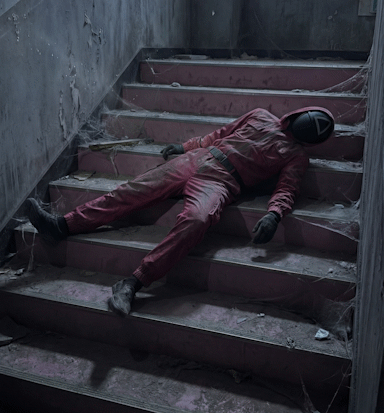
How to Create an Abandoned Movie Set Video with AI (Frozen in Time Effect)
The Concept
You create a creepy, cinematic scene where:
- A famous movie or series set looks abandoned
- A main character is frozen in time
- The camera moves slowly, as if someone secretly entered the set
- Everything feels real, unsettling, and slightly forbidden
This format works insanely well on TikTok, Reels, and Shorts because:
- It’s instantly recognizable
- It creates tension without action
- People watch longer to “figure out what’s wrong”
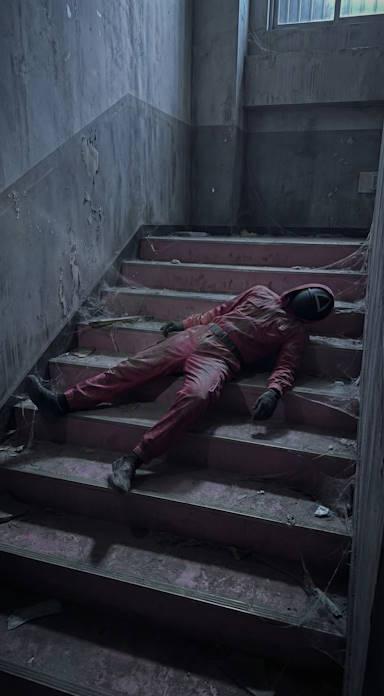
Step 1: Generate the Image (Text-to-Image)
This image is the backbone of the entire video.
It must look photorealistic, dark, and filmed by a human, not “AI art”.
Universal Text-to-Image Prompt (Reusable)
Step 2: Animate the Scene (Image-to-Video)
Now you bring the image to life — without the character moving.
The horror and realism come from:
- Camera movement only
- The subject staying perfectly still
Image-to-Video Prompt
Important rule:
👉 If the character moves even a little, the effect breaks.
Always emphasize perfect stillness.
Step 3: Why This Format Works So Well
This type of video triggers:
- Uncanny valley (it looks real, but wrong)
- Curiosity loops (“Is that a real person?”)
- Rewatch behavior (people replay to check movement)
That’s algorithm gold.
Step 4: Posting Tips (Don’t Skip This)
Best captions:
- “They were just… left there.”
- “This place was never meant to be found.”
- “Time stopped. No one noticed.”
No music needed or use:
- Very low ambient hum
- Subtle wind or room tone
Let silence do the work.
Final Notes
If you want these videos to pop:
- Go dark, not flashy
- Keep motion slow and human
- Avoid over-describing AI terms in prompts
- Think like a cameraman sneaking somewhere he shouldn’t be